

Fully customizable vendor management software
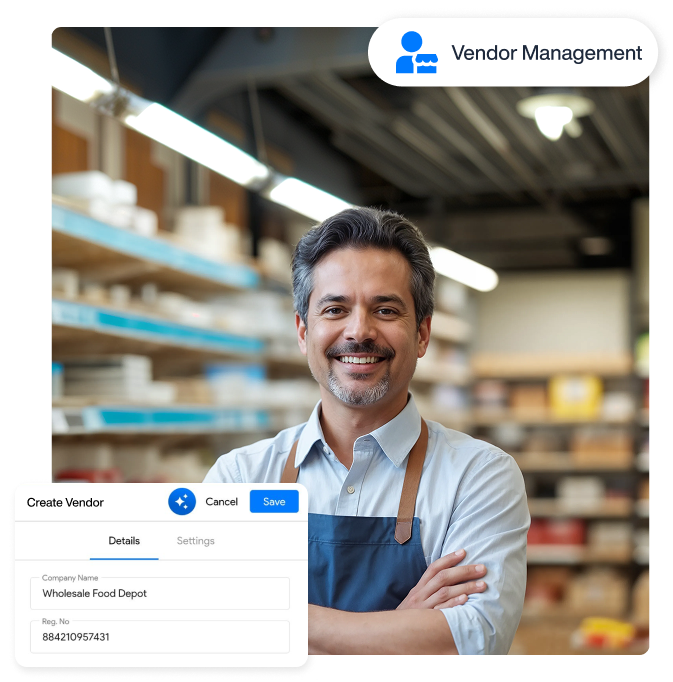
Managing vendors shouldn't mean chasing paperwork or searching lengthy contracts for renewal dates. Vendor tracking software uses intelligent automation to organize vendor records, contracts, deadlines, and payment details in one place, helping you avoid costly oversights.


Why do you need a vendor portal software?
Small businesses and enterprises alike desperately need vendor management software to
escape the chaotic mix of emails and shared folders that quietly drain business revenue.

Vendor onboarding
Onboarding vendors involves lengthy paperwork, and it is where compliance lapses go unnoticed. A self-service portal shifts the burden back to vendors.

Invoice processing
Processing vendor invoices manually is vulnerable to human error. AI vendor portal software reads incoming documents automatically and flags discrepancies if found.

Managing contracts
Centralize SLAs and NDAs in one place instead of letting them gather dust in shared folders. Vendor management system ensures no missed renewals and hidden risks.
Next-gen features that lead to 2x faster vendor payments
AI-driven vendor invoicing
Self-service portals
 A dedicated vendor portal to organize vendor invoices and payments, so you don’t have to re-type every detail. Vendors can do it themselves.
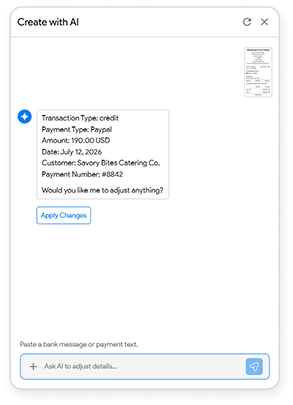
AI payment extraction
Directly copy and paste the bank message or payment-related text to update the payment records with AI automation.
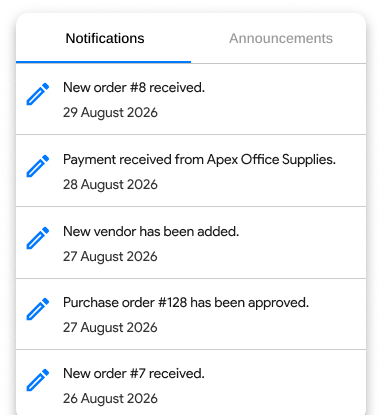
Automated reminders & notifications
Get notified for incoming invoices
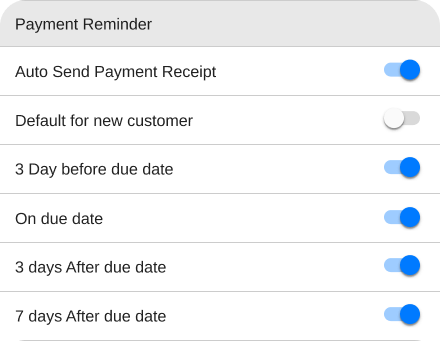
Let Moon Invoice remind you whenever a new vendor invoice lands in your inboxes, prompting your AP team to take immediate action in order to get early-payment discounts.
Set reminders for due invoices
Enable automatic reminders to alert you about invoices nearing their due dates. It not only saves you from hefty penalties but also protects your vendor relationships.
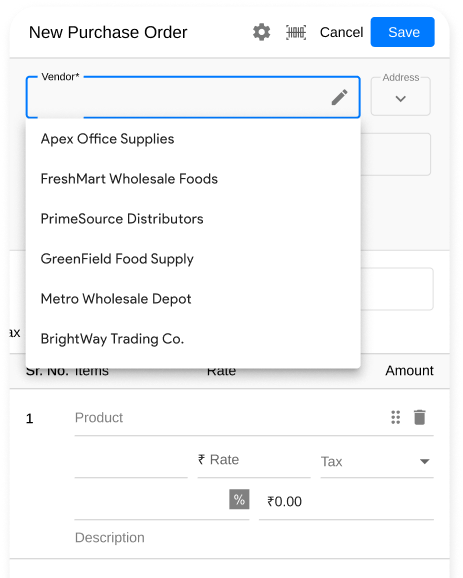
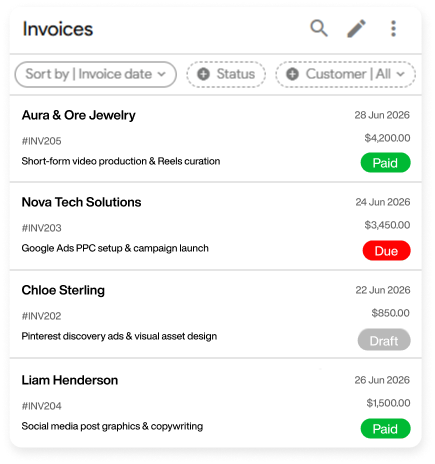
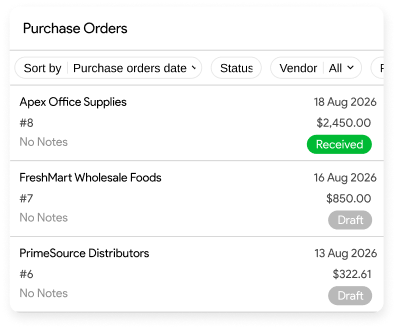
Purchase orders & invoice matching
Purchase order report
Automate generating the purchase order report, so you don’t have to prepare it by reconciling the spreadsheet data.
Simplified invoice matching
Cross-reference incoming bills with original purchase orders and ensure no duplicate charges before paying vendors.
Organize contracts & agreements
Centralize vendor documents
Securely store important contracts and agreements like Non-Disclosure Agreements (NDAs) and Service Level Agreements (SLAs) in the cloud storage.
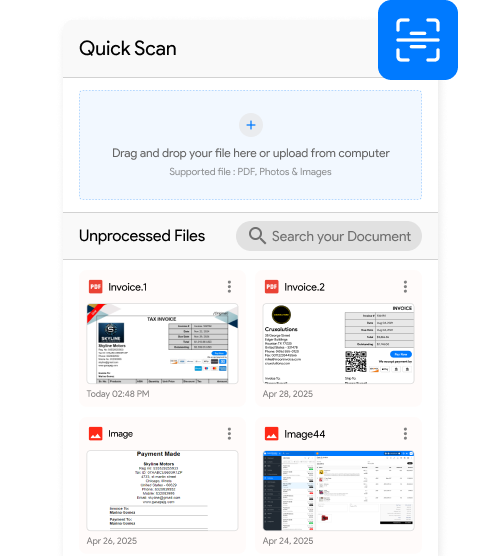
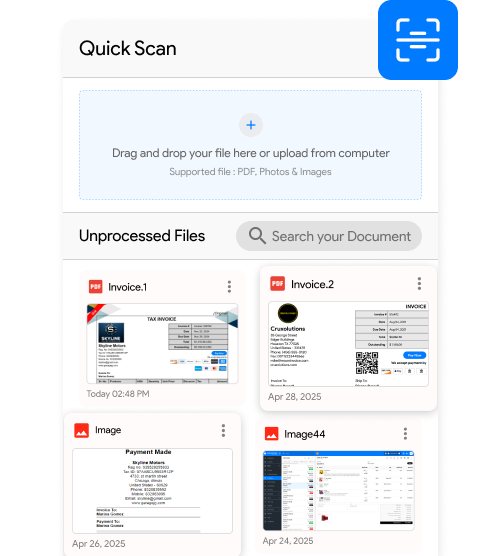
Quick scan to create documents
Scan paper-based contracts and other vendor files to convert them into digital documents instead of wasting manual effort on vendor data entry.
Real-time reporting
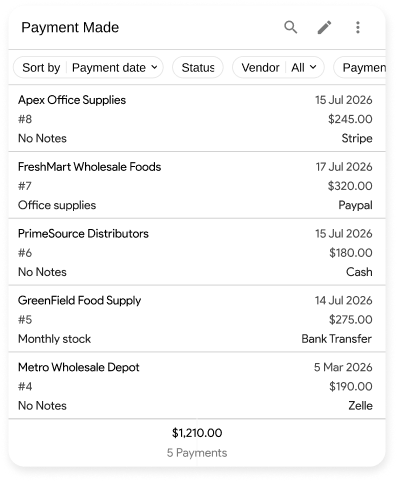
Payment made report
Get a comprehensive payment made report, where you can see clean logs of all completed vendor transactions. No need to keep digging through the bank statement.
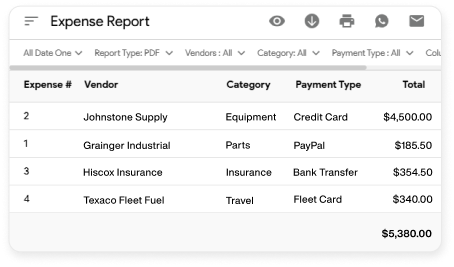
Detailed expense report
Generate an expense report that reveals your spending habits per vendor in just a few clicks. There’s absolutely no need to manually check what you owe each vendor.
A complete suite of features designed for vendor-reliant businesses

Invoicing
Simplify the way you invoice your clients and get paid within a few minutes.

Estimating
Build quotes or estimates by instantly factoring in vendor material costs and service fees.

Purchase order
Generate professional-looking POs that secure vendor services your client projects require.

Credit note
Add a credit note to track canceled orders when a client’s project scope changes mid-way.

Time tracking
Track the billable hours logged by contractors and vendors to ensure accurate payouts.

Online payments
Settle vendor invoices via online payment modes like e-wallets, Apple Pay, and more.

Accounting
Slash your accounting workload by automating your vendor bill and expense tracking.

Reporting
Paperless P&L, payment, and summary reports that reveal your true vendor expenses.

Expense tracking
Track every dollar that leaves your business for vendor materials instantly.
Multi-platform vendor billing and invoicing
Get the Moon Invoice app for your Android, iOS, Mac, Windows, or Web platform to organize vendor invoices and payments.





Kind words from businesses that manage vendors
Read out how growing teams are saving hours using the right vendor tracking software.





“We had difficulties in matching quotes with fluctuating material costs. After coming to Moon Invoice, we can now factor in real-time vendor pricing instantly in such a way that protects our profit margins and cuts our PO creation time in half.”

“Managing logistics vendors was a big deal for us until we came across Moon Invoice. Really nice vendor tracking software that unifies vendor bills and makes it very easy to track them. Not to mention we get clean P&L, invoice aging, and other reports.”

“We run a business that relies on vendors, but our bookkeeping was lagging behind our orders. Moon Invoice changed that for us by slashing our workload by 70%. If an order changes mid-way, handling credit notes and adjusting vendor bills takes only seconds. Not hours.”

Still chasing vendor invoices?
Centralize your vendors, automate your billing, and protect your margins in a few clicks.

Organize vendors
Track vendor bills
Online payments

No credit card required
Free 7-day trial
Cancel anytime
24/7 support
Frequently Asked Questions
If you have any further questions, please don't hesitate to reach out to our customer support team for assistance.
How to create a vendor invoice in Moon Invoice?
Log in to the Moon Invoice web app and find the “Invoices” module from the main menu. Under it, click on the “+” icon. Now, enter the necessary details as required and lastly, hit the save button. Remember, if you are creating an invoice for past vendors, the details will automatically be added by choosing vendors from the drop-down menu.
Does Moon Invoice offer self-service portals for vendors and suppliers?
Yes, it does. Moon Invoice has an in-built dedicated vendor or supplier portal. Using which, third-party vendors can check invoice status, outstanding dues, and even statements. They do not have to connect with your team frequently.
Can I get notified about an invoice nearing the due date?
You can get notified whenever an invoice is nearing its due date if and only if you have enabled the payment reminder. Turning on the payment reminder, Moon Invoice can notify you prior to the invoice due date.
From where can I generate a purchase order report?
To generate a purchase order report, open Moon Invoice and head to the “Reports” module. In purchases & expenses, you will find a purchase order report. You can use filter options to find a specific vendor from the list.
Are my vendor documents secured?
Yes, they are secured in the cloud storage, restricting access to unauthorized parties. Moon Invoice has multi-layered data security to ensure your important business information remains safe and secure.
How to manage vendors effectively?
To manage your vendors effectively, start using Moon Invoice. Navigate to the Vendors module and create a centralized directory. From which you can log details, track POs, link material costs, and keep a tab on incoming bills.
How to track vendor payments using Moon Invoice?
Open Moon Invoice and go to Purchases, and then tap on Expenses, after which you can check the active transactions of all vendors. You can even click on a specific vendor's profile in your directory to view their total outstanding balance and overdue amounts.






- Experience full-fledge invoicing module with estimates, POs, receipts
- Get offline support to work seamlessly
- Multiple payment gateways + custom payment method
- Live customer support
- Manage projects and customers efficiently
- Automate workflow, get analytics, & more
For my business, one of the headaches was managing both stocks and expenses. Luckily, I switched to Moon Invoice and found the hassles of stock and expense management getting faded. Thanks to this amazing invoicing app.


Try Moon Invoice Today!
- We Make Invoicing a Childsplay!
- No Complex Features, No Longer Processes
- Save Time, Boost Productivity
- Experience full-fledge invoicing module with estimates, POs, receipts
- Get offline support to work seamlessly
- Multiple payment gateways + custom payment method
- Live customer support
- Manage projects and customers efficiently
- Automate workflow, get analytics, & more
For my business, one of the headaches was managing both stocks and expenses. Luckily, I switched to Moon Invoice and found the hassles of stock and expense management getting faded. Thanks to this amazing invoicing app.
Try Moon Invoice Today!
- We Make Invoicing a Childsplay!
- No Complex Features, No Longer Processes
- Save Time, Boost Productivity
- Experience full-fledge invoicing module with estimates, POs, receipts
- Get offline support to work seamlessly
- Multiple payment gateways + custom payment method
- Live customer support
- Manage projects and customers efficiently
- Automate workflow, get analytics, & more
For my business, one of the headaches was managing both stocks and expenses. Luckily, I switched to Moon Invoice and found the hassles of stock and expense management getting faded. Thanks to this amazing invoicing app.
We will send you an email with instructions to reset it.
- We Make Invoicing a Childsplay!
- No Complex Features, No Longer Processes
- Save Time, Boost Productivity
- Experience full-fledge invoicing module with estimates, POs, receipts
- Get offline support to work seamlessly
- Multiple payment gateways + custom payment method
- Live customer support
- Manage projects and customers efficiently
- Automate workflow, get analytics, & more
For my business, one of the headaches was managing both stocks and expenses. Luckily, I switched to Moon Invoice and found the hassles of stock and expense management getting faded. Thanks to this amazing invoicing app.
Enter Password to link your account with Gmail
- We Make Invoicing a Childsplay!
- No Complex Features, No Longer Processes
- Save Time, Boost Productivity
- Experience full-fledge invoicing module with estimates, POs, receipts
- Get offline support to work seamlessly
- Multiple payment gateways + custom payment method
- Live customer support
- Manage projects and customers efficiently
- Automate workflow, get analytics, & more
For my business, one of the headaches was managing both stocks and expenses. Luckily, I switched to Moon Invoice and found the hassles of stock and expense management getting faded. Thanks to this amazing invoicing app.
Try Moon Invoice Today!
- We Make Invoicing a Childsplay!
- No Complex Features, No Longer Processes
- Save Time, Boost Productivity



