

What sets Moon Invoice apart?
Enhance your business billing with cutting-edge capabilities.
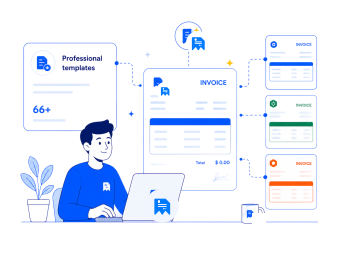
Professional templates
Explore 66+ free, customizable templates to create custom and polished estimates, invoices, and receipts. Choose the appropriate theme, add color, business logo, and other details to reflect your business brand while saving time.
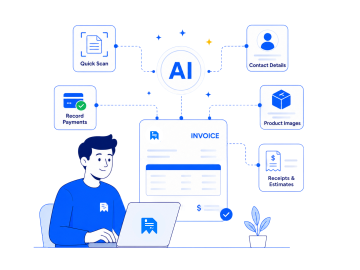
AI-powered automation
Moon Invoice is AI-powered invoicing software that helps automate processes. Users can create invoices, receipts, and estimates with the quick scan feature. Also, it is easy to record payments, contact details & product images with AI.

Manage more than invoices
Go beyond invoicing with tools designed to support your entire business. It allows you to track expenses, manage inventory, generate reports, manage projects, and more. Take control of daily financial and accounting operations.
Why choose Moon Invoice over Zoho Invoice?
Moon Invoice is user-friendly and easy-to-use invoicing software. It offers many advanced features to streamline invoicing and overall financial management. Check the key points of Zoho Invoice vs Moon Invoice.


-
 Limited built-in templates to create invoices and estimates.
-
Lacks AI-powered document and OCR technology.
-
Multi-language support is limited to 17+ languages.
-
No multi-currency support available.
-
No dedicated purchase order feature for creating and managing POs.
-
No built-in POS hardware support is available, which limits its use in retail stores & restaurants.
-
Adds dependency due to a large software ecosystem.
-
No offline support available


-
 66+ templates to create invoices, quotes, and receipts.
-
AI features to scan documents, create contacts & record payments.
-
Supports 25+ global languages for users.
-
Supports 100+ currencies and cross-border billing.
-
Dedicated purchase order feature for creating and managing POs.
-
POS support with hardware synchronization with thermal printers, cash drawers & EDC machines.
-
All-in-one invoicing tool that reduces dependency on other apps.
-
Supports offline invoicing for users.
Moon Invoice vs Zoho Invoice: Quick comparison
Curious to know how Moon Invoice outperforms Zoho Invoice? Here’s a detailed Zoho Invoice vs Moon Invoice feature comparison.
| Features |
|
Best Value
|
|---|---|---|
| Extensive invoice templates | |
|
| AI-powered invoicing features | Limited | Available |
| Estimate management | |
|
| Recurring invoicing | |
|
| Expense tracking | |
|
| Inventory management | |
|
| Track billable hours | |
|
| Comprehensive financial reporting | |
|
| Team collaboration | |
|
| Multi-currency and language support | Supports multiple languages but not currencies | Offers a broader range of currencies and global language support |
| Debit note | |
|
| Payment support | Offers 10+ payment gateways | Offers 20+ payment integrations |
| Full white label solution | |
|
| Proforma invoices | |
|
| Cloud sync and data backup | |
|
| Offline access | |
|
| Customer support | Narrower to email support and help resources | Dedicated phone call, help resources, demo schedule, email & LIVE chat support for 24/7 |
| Supported platforms | Android, iOS, Windows & Web App | Android, iOS, macOS, Linux, Windows & Web App |
Price comparison: Zoho Invoice vs Moon Invoice
Compare and see which gives more value for your money.
Free
What's included
-
 1 Organization/company
 -
Create estimates & invoices
-
18+ Customizable templates
Starter
What's included
- Manage 25 Clients
- AI Quick Scan
-
Unlimited Invoices & Estimates
-
Expense Tracking
-
Receipt Management
-
Recurring Invoices
-
Advanced Reports & Insights
Read the stories of our Moon Invoice users
Check out what our customers say about their journey with us.





Moon Invoice is a complete solution for managing invoicing and other business accounting tasks. Earlier, it was quite difficult to handle my business finances. Now, it’s simple to bill clients, manage inventory, get paid on time, and gain financial insights.

Earlier, managing my business accounts and finances was challenging. Thankfully, this tool has simplified my invoicing and financial management tasks. Its easy-to-use features have taken my business billing to the next level.

I highly recommend Moon Invoice to entrepreneurs. It has made managing my business billing much easier. Whether it is about invoicing a client, reminding them of payment, or accepting payment, this invoicing software simplifies everything.

Transform your invoicing game with AI-powered Moon Invoice
Prepare your business for next-level billing with advanced capabilities. Take charge of your finances to manage every action in one place.
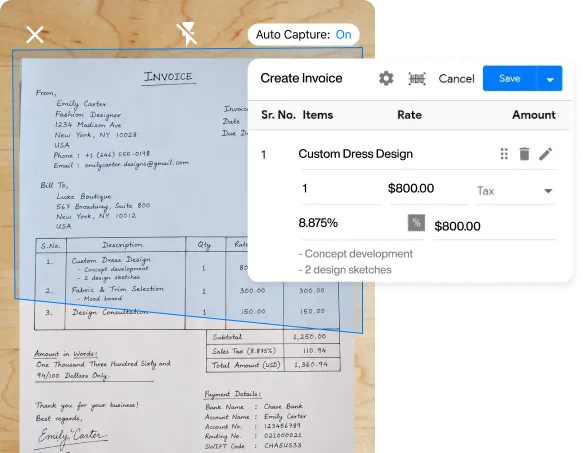
Templates & AI for smart invoicing
Customizable invoice templates to create professional invoices in less time. Additionally, an OCR-based quick-scan feature is available to create invoices by scanning documents. Users experience hassle-free billing on every deal.
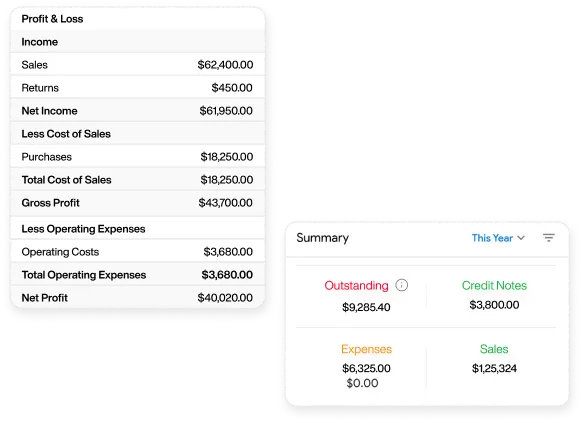
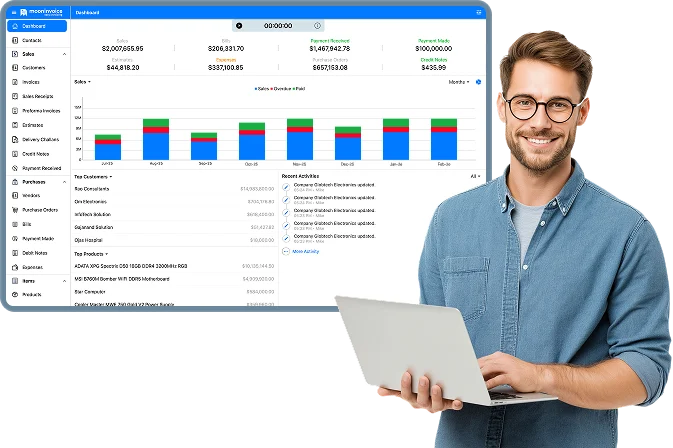
Unlock real-time business insights
Real-time insights with customizable reports to analyze your business finances. Track revenues, expenditures, outstanding balance, profit and loss to make informed decisions. Clear view on one interactive dashboard.
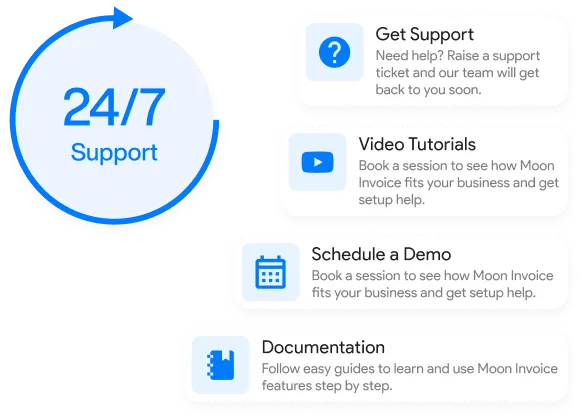
Always hear when you need us
Our knowledgeable team is ready to assist round the clock through email, chat, and a dedicated phone number. Experience fast, reliable support to maximize the full benefits of Moon Invoice and enhance your business billing.
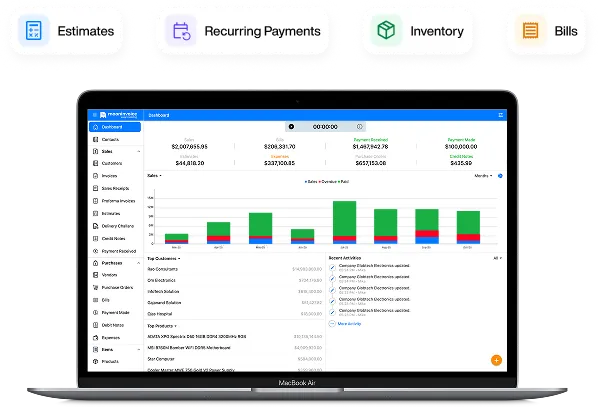
Your complete accounting toolkit
Go beyond basic business invoicing. Automate daily essential tasks while handling estimates, recurring payments, purchase orders, and inventory payments. Simplify every accounting action on a single platform.
Turn every invoice into a
timely payment
Automate invoices, send payment reminders, and accept online payments easily with Moon Invoice.
- AI-powered invoicing
- Recurring invoices
- Smart expense tracking
- Get paid faster
Explore additional comparisons
BigTime vs Moon Invoice: Compare Billing & Invoicing Software
Discover how Moon Invoice compares with BigTime for invoicing, billing, estimates, payment tracking, and expense management. Choose software that fits your business.

Moon Invoice vs Hiveage: Which Invoicing Software Is Better?
Explore the differences between Hiveage and Moon Invoice, including invoice creation, customization, payment tracking, recurring invoices, and expense management tools.
Moon Invoice vs Harvest: Which Software Is Right for Your Business?
Compare Moon Invoice and Harvest across invoicing, time tracking, expenses, project workflows, and pricing. Discover key differences and select the best fit for your business needs.
Frequently Asked Questions
If you have any further questions, please don't hesitate to reach out to our customer support team for assistance.
Which is better: Moon Invoice or Zoho Invoice?
In this Moon Invoice vs Zoho Invoice comparison, Moon Invoice stands out with its shorter learning curve, extensive template options, and modern features. It allows professionals to manage everything on a single platform. There is no dependency on or switching to other interconnected platforms.
Can I manage inventory with Moon Invoice?
Yes, Moon Invoice lets you manage inventory so you can stay on top of your stock. You can easily add and manage products with SKUs, prices, and stock values. It allows you to manage product categories.
Does Moon Invoice support multiple devices?
Which platform is better for managing multiple businesses?
When it comes to managing multiple businesses, Moon Invoice is the better option. It allows professionals to manage different businesses on a single platform. Users can create different business profiles and easily switch between them.






- Experience full-fledge invoicing module with estimates, POs, receipts
- Get offline support to work seamlessly
- Multiple payment gateways + custom payment method
- Live customer support
- Manage projects and customers efficiently
- Automate workflow, get analytics, & more
For my business, one of the headaches was managing both stocks and expenses. Luckily, I switched to Moon Invoice and found the hassles of stock and expense management getting faded. Thanks to this amazing invoicing app.


Try Moon Invoice Today!
- We Make Invoicing a Childsplay!
- No Complex Features, No Longer Processes
- Save Time, Boost Productivity
- Experience full-fledge invoicing module with estimates, POs, receipts
- Get offline support to work seamlessly
- Multiple payment gateways + custom payment method
- Live customer support
- Manage projects and customers efficiently
- Automate workflow, get analytics, & more
For my business, one of the headaches was managing both stocks and expenses. Luckily, I switched to Moon Invoice and found the hassles of stock and expense management getting faded. Thanks to this amazing invoicing app.
Try Moon Invoice Today!
- We Make Invoicing a Childsplay!
- No Complex Features, No Longer Processes
- Save Time, Boost Productivity
- Experience full-fledge invoicing module with estimates, POs, receipts
- Get offline support to work seamlessly
- Multiple payment gateways + custom payment method
- Live customer support
- Manage projects and customers efficiently
- Automate workflow, get analytics, & more
For my business, one of the headaches was managing both stocks and expenses. Luckily, I switched to Moon Invoice and found the hassles of stock and expense management getting faded. Thanks to this amazing invoicing app.
We will send you an email with instructions to reset it.
- We Make Invoicing a Childsplay!
- No Complex Features, No Longer Processes
- Save Time, Boost Productivity
- Experience full-fledge invoicing module with estimates, POs, receipts
- Get offline support to work seamlessly
- Multiple payment gateways + custom payment method
- Live customer support
- Manage projects and customers efficiently
- Automate workflow, get analytics, & more
For my business, one of the headaches was managing both stocks and expenses. Luckily, I switched to Moon Invoice and found the hassles of stock and expense management getting faded. Thanks to this amazing invoicing app.
Enter Password to link your account with Gmail
- We Make Invoicing a Childsplay!
- No Complex Features, No Longer Processes
- Save Time, Boost Productivity
- Experience full-fledge invoicing module with estimates, POs, receipts
- Get offline support to work seamlessly
- Multiple payment gateways + custom payment method
- Live customer support
- Manage projects and customers efficiently
- Automate workflow, get analytics, & more
For my business, one of the headaches was managing both stocks and expenses. Luckily, I switched to Moon Invoice and found the hassles of stock and expense management getting faded. Thanks to this amazing invoicing app.
Try Moon Invoice Today!
- We Make Invoicing a Childsplay!
- No Complex Features, No Longer Processes
- Save Time, Boost Productivity



