

What makes Moon Invoice unique?
Below are features that make Moon Invoice stand out from other invoicing and billing software.
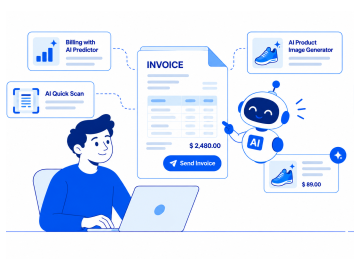
AI-powered billing
Moon Invoice comprises a wide range of AI-first invoicing features like billing with AI predictor, AI quick scan, and AI product image generator. Moon Invoice does not rely on traditional manual recurring setups, it offers an AI-driven billing process.
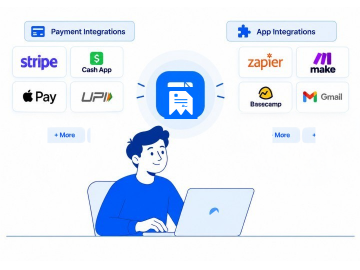
Third-party integrations
Moon Invoice has plenty of payment integration options like Stripe, Cash App, Apple Pay, UPI, eWallets, and more. On top of it, you also get third-party app integrations like Zapier, Make, Basecamp, Gmail, and other popular apps to streamline workflow.
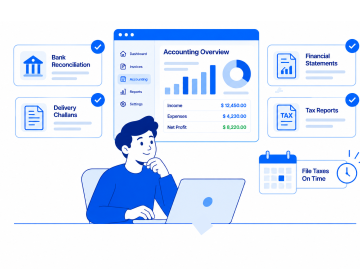
Accounting workflows
Moon Invoice comes equipped with an invoicing and accounting feature suite that consists of bank reconciliation, delivery challans, and financial statements. It also provides accurate tax reports that help accountants in filing taxes on time.
Why choose Moon Invoice over Invoicera?
While both platforms offer state-of-the-art features, real-world performance and everyday convenience are among the reasons Moon Invoice comes out on top.


-
 Invoicera hinges on a stable internet connection to make bills.
-
Invoicera offers basic template design options for customization.
-
It has a steep learning curve, which users may face during initial setup.
-
Invoicera’s users can not share bills instantly via WhatsApp.
-
Invoicera users occasionally report third-party sync delays.
-
No native bank reconciliation, so users need separate software.
-
The user may not get a complete suite of features in the mobile app.


-
 Moon Invoice works offline, and data is synced automatically.
-
Moon Invoice has 66+ customizable invoice templates.
-
It has a zero-friction setup that does not require additional training.
-
Moon Invoice supports one-click sharing via WhatsApp.
-
With Moon Invoice, users can sync the invoicing data in real time.
-
Moon Invoice consists of in-app bank reconciliation.
-
It offers comprehensive features in the mobile app.
Invoicera vs Moon Invoice: side-by-side feature comparison
Here’s a closer look at how Invoicera and Moon Invoice compare in terms of primary features.
| Features |
|
Best Value
|
|---|---|---|
| Online invoicing | |
|
| Basic accounting | |
|
| Recurring invoices | |
|
| Expense management | |
|
| GST & E-way bills | |
|
| Bank reconciliation | |
|
| Online payments | 14+ payment gateways | 20+ payment gateways |
| Multi-currency support | |
|
| Ability to remove branding | |
|
| AI image generator | |
|
| AI contact creation | |
Vendors/customers |
| AI payment extraction | |
|
| Billing with AI predictor | |
|
| White-label invoicing | |
|
| Integrations | Payment integration | Payment & third-party apps integrations |
| On-demand support | |
Phone, email & chat |
Moon Invoice vs Invoicera pricing comparison
Here, we compare the pricing of the online invoicing software Moon Invoice and Invoicera to help you pick the software that offers the best value for your budget.
Operate
What's included
-
 3,000 invoices/year
 -
Recurring invoices
-
Payment reminders
-
Standard reporting
Starter
What's included
- Manage 25 Clients
- AI Quick Scan
-
Unlimited Invoices & Estimates
-
Expense Tracking
-
Receipt Management
-
Recurring Invoices
-
Advanced Reports & Insights
Words of trust from real business owners
Here is what businesses and entrepreneurs have to say about their billing workflow after migrating to Moon Invoice.





Our previous invoicing tool became unsustainable as we added sub-contractors across Southeast Asia. Using Moon Invoice cut our monthly billing costs in half while providing better multi-currency support.

Earlier, our tech teams used to spend hours every day manually logging job invoices. Moon Invoice’s mobile app lets us seamlessly convert billable hours into invoices and collect payments. Using it, we ensure every tracked hour gets billed.

Bank reconciliation used to take up our entire Friday. Matching our bank deposits against open invoices was a painful task for our accounting team. Moon Invoice lets your team breathe a sigh of relief. Moon Invoice only takes a few minutes and keeps our books clean.

Features to accelerate yourbusiness growth
A list of primary features available on Moon Invoice to help you button up your invoicing workflow and double your business growth.
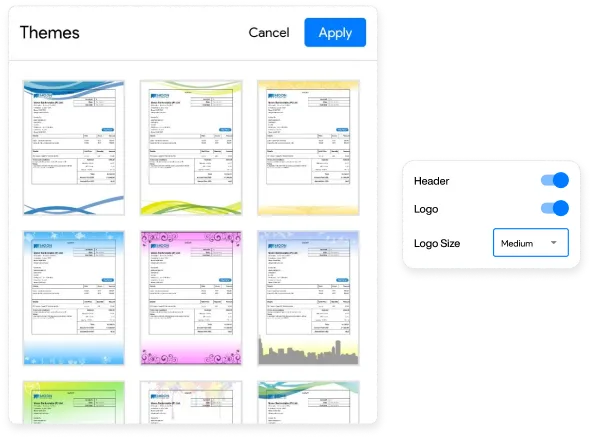
Make branded invoices
Get ready-to-use custom invoice templates to design personalized invoices that enhance your brand recognition. Include your business’s logo, change font, colors, and whatever you want to match your brand identity. This will present a professional image with every bill you send.
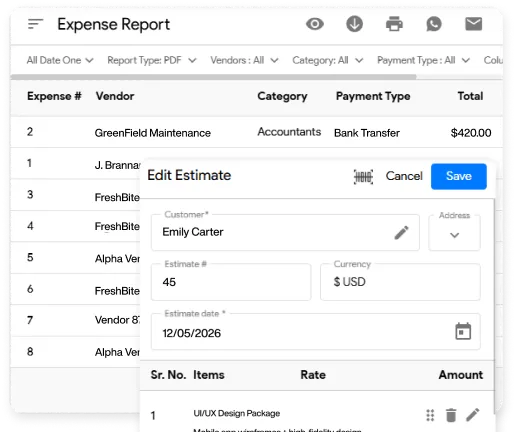
Track business spending
Keep a tab on your cash flow movements from a single dashboard. Generate export-friendly reports such as purchase order reports and expense reports to review your monthly spending. By doing so, businesses can monitor and improve their financial health.
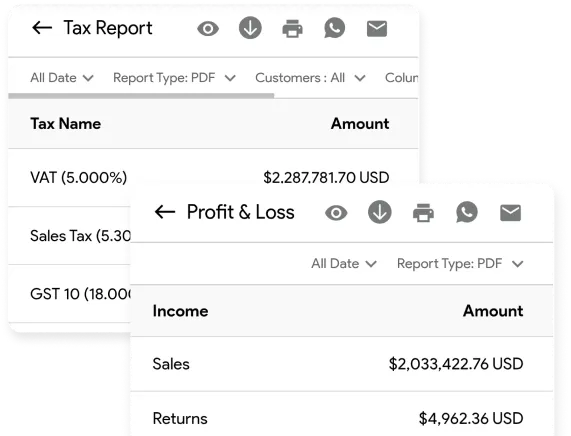
Explore reports on the go
Forget waiting until you are back at your desk to check your bottom line. Let Moon Invoice create high-quality reports like financial statements, tax reports, and P&L reports promptly, so you can gain detailed insights into revenue trends and remaining balances.
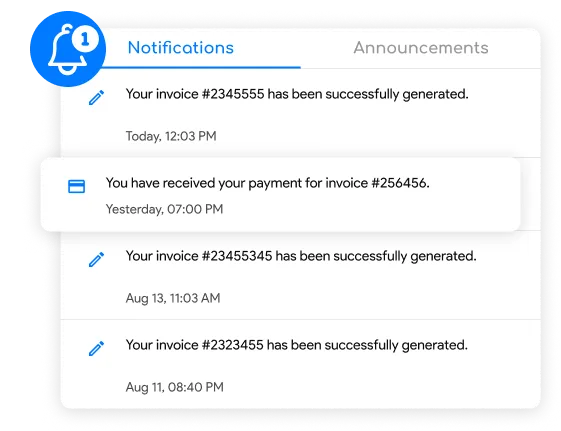
Set auto-reminders for payments
Put your payment follow-ups on autopilot and significantly reduce late payments from delinquent clients. Enable automatic payment reminders, so you can nudge clients about their upcoming invoice due dates. It helps you get paid quickly without sending awkward manual follow-ups.
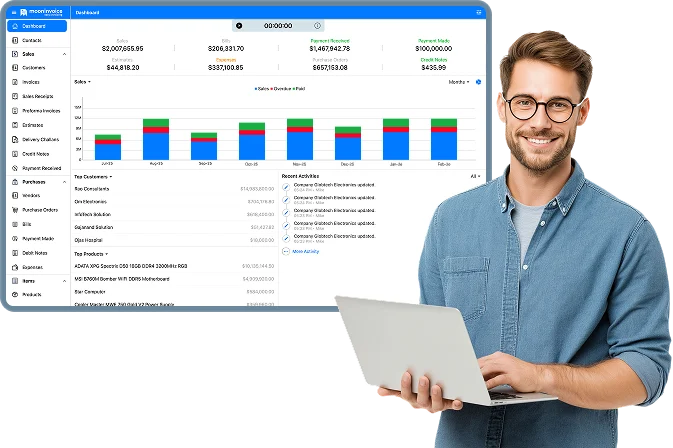
Take the hassle out of
invoicing
Zero billing headaches. Total control over every invoice in one place.
- AI-Powered invoicing
- Recurring invoices
- Smart expense tracking
- Get paid faster
Explore more comparisons
Moon Invoice vs Invoice Simple: Which One Is Better?
Discover a powerful Invoice Simple alternative with Moon Invoice. Compare features, billing tools, customization options, and business management...

Bookipi vs Moon Invoice: Which Invoicing Fits Your Business?
Compare Moon Invoice and Bookipi side by side to explore invoicing features, pricing, automation, and support. Find the right billing solution for your business.
InvoiceBerry vs Moon Invoice: Invoicing Features & Pricing Compared
A detailed comparison of Moon Invoice and InvoiceBerry features, pricing, and payment tools to help you choose the best invoicing platform.
Frequently Asked Questions
If you have any further questions, please don't hesitate to reach out to our customer support team for assistance.
Which provides an instant invoice sharing option - Invoicera or Moon Invoice?
Moon Invoice provides instant invoice sharing options via WhatsApp and email. Invoicera still relies on standard email delivery and has no quick sharing options like WhatsApp share. Therefore, Moon Invoice is a wiser choice without a doubt.
Do Invoicera and Moon Invoice support AI billing?
Yes, Moon Invoice supports AI billing with sophisticated features like AI predictor and AI-based quick scan for documents. Invoicera, on the other hand, offers AI automation mainly for analytics & forecasting.
Does Moon Invoice offer e-invoicing?
Definitely, it does. Moon Invoice offers an e-invoicing feature for users in specific countries. Businesses in supported countries can easily create tax-compliant e-invoices. Other users will soon get e-invoicing functionality in upcoming months.
How does Moon Invoice’s pricing compare to Invoicera?
Moon Invoice is significantly more cost-effective with plans starting at just $6.67/month (if billed annually). On the contrary, Invoicera’s pricing leans heavily toward mid-sized and enterprise teams with higher monthly subscription fees.
Which software is best for business accounting?
Moon Invoice is the best software for accounting when compared directly to Invoicera. The reason is that Moon Invoice has basic accounting features like financial reporting and bank reconciliation. Whereas Invoicera does not offer a complete accounting suite.






- Experience full-fledge invoicing module with estimates, POs, receipts
- Get offline support to work seamlessly
- Multiple payment gateways + custom payment method
- Live customer support
- Manage projects and customers efficiently
- Automate workflow, get analytics, & more
For my business, one of the headaches was managing both stocks and expenses. Luckily, I switched to Moon Invoice and found the hassles of stock and expense management getting faded. Thanks to this amazing invoicing app.


Try Moon Invoice Today!
- We Make Invoicing a Childsplay!
- No Complex Features, No Longer Processes
- Save Time, Boost Productivity
- Experience full-fledge invoicing module with estimates, POs, receipts
- Get offline support to work seamlessly
- Multiple payment gateways + custom payment method
- Live customer support
- Manage projects and customers efficiently
- Automate workflow, get analytics, & more
For my business, one of the headaches was managing both stocks and expenses. Luckily, I switched to Moon Invoice and found the hassles of stock and expense management getting faded. Thanks to this amazing invoicing app.
Try Moon Invoice Today!
- We Make Invoicing a Childsplay!
- No Complex Features, No Longer Processes
- Save Time, Boost Productivity
- Experience full-fledge invoicing module with estimates, POs, receipts
- Get offline support to work seamlessly
- Multiple payment gateways + custom payment method
- Live customer support
- Manage projects and customers efficiently
- Automate workflow, get analytics, & more
For my business, one of the headaches was managing both stocks and expenses. Luckily, I switched to Moon Invoice and found the hassles of stock and expense management getting faded. Thanks to this amazing invoicing app.
We will send you an email with instructions to reset it.
- We Make Invoicing a Childsplay!
- No Complex Features, No Longer Processes
- Save Time, Boost Productivity
- Experience full-fledge invoicing module with estimates, POs, receipts
- Get offline support to work seamlessly
- Multiple payment gateways + custom payment method
- Live customer support
- Manage projects and customers efficiently
- Automate workflow, get analytics, & more
For my business, one of the headaches was managing both stocks and expenses. Luckily, I switched to Moon Invoice and found the hassles of stock and expense management getting faded. Thanks to this amazing invoicing app.
Enter Password to link your account with Gmail
- We Make Invoicing a Childsplay!
- No Complex Features, No Longer Processes
- Save Time, Boost Productivity
- Experience full-fledge invoicing module with estimates, POs, receipts
- Get offline support to work seamlessly
- Multiple payment gateways + custom payment method
- Live customer support
- Manage projects and customers efficiently
- Automate workflow, get analytics, & more
For my business, one of the headaches was managing both stocks and expenses. Luckily, I switched to Moon Invoice and found the hassles of stock and expense management getting faded. Thanks to this amazing invoicing app.
Try Moon Invoice Today!
- We Make Invoicing a Childsplay!
- No Complex Features, No Longer Processes
- Save Time, Boost Productivity



