

Moon Invoice: a complete invoicing solution for business pros
Below, we emphasize reasons why Moon Invoice is mostly preferred by growing businesses like yours.
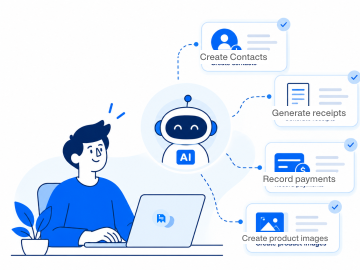
Get paid faster
A prominent feature of Moon Invoice is AI-powered billing, using which professionals can draw payments 2x faster. No physical meetings. No unnecessary phone calls. Only clean invoices that grab the client’s attention and encourage them to pay dues quickly.
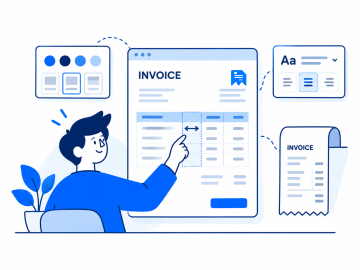
Unparalleled customization
Unlike some basic invoicing tools, Moon Invoice offers a complete invoicing and accounting suite with a wide scope of customization. Professionals get customization so deep that they can even adjust or resize columns on PDF invoices and thermal prints.
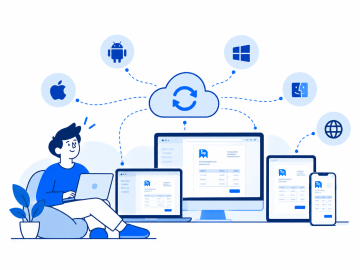
Platform compatibility
Moon Invoice is meticulously built for businesses who seek cross-platform compatibility. The invoice automation software works on iOS, Android, macOS, Windows, and the web. Data automatically syncs across all your devices.
Why choose Moon Invoice over Invoice Ninja?
Here is the side-by-side comparison of core invoicing features offered by both Moon Invoice and Invoice Ninja.

-
 Invoice Ninja lacks AI-powered billing, so users may need human intervention.
-
Invoice Ninja provides a maximum of 11 invoice templates.
-
Invoice Ninja offers a standard PDF layout with limited customization.
-
This software has a steep learning curve, meaning users need time to get familiar.
-
Invoice Ninja does not allow sharing bills and invoices instantly via WhatsApp.
-
Tracks product stock levels, but tailored for service billing. Not for point-of-sale setups.
-
Users get Email-only support that has higher wait times.


-
 Moon Invoice allows billing with AI features like AI predictor and contact creation.
-
Users get 66+ built-in customizable invoice templates.
-
It has a fully customizable PDF invoice layout and thermal prints.
-
Moon Invoice comes with a zero-friction setup. Users do not require extra training.
-
Moon Invoice supports one-click quick share via WhatsApp.
-
It integrates into billing workflows, thermal printing, and barcode-ready retail setups.
-
It offers on-demand support via chat, email, and phone calls.
Invoice Ninja vs Moon Invoice: features comparison
A closer look at what Moon Invoice has to offer compared to Invoice Ninja’s feature suite.
| Features |
|
Best Value
|
|---|---|---|
| Personalized invoices/bills | |
|
| Quotes and proposals | |
|
| Recurring billing | |
|
| Invoice templates | 11 templates | 66+ templates |
| Expense management | |
|
| Time tracking | |
|
| Online payments | |
|
| Multi-currency support | |
|
| GST/E-Way bills | |
|
| Barcode generation | |
|
| AI image generator | |
|
| AI contact creation | |
Both vendors + customers |
| AI payment extraction | |
|
| PDF invoice layout | Basic customization | Fully customizable |
| Hardware compatibility | Standard desktop printers | Bluetooth/USB thermal printers |
| Tax reporting | |
|
| Customer support | Email, chat, and phone call | |
| Offline accessibility | |
|
| Money-back guarantee | 30 days | 90 days |
Price comparison: Invoice Ninja vs Moon Invoice
Pricing comparison of both Invoice Ninja and Moon Invoice to see where you get the most value for your money.
Free
What's included
-
 5 Clients Management
 -
4 Invoice Templates
-
Setup Vendors
-
Track Expenses
Starter
What's included
- Manage 25 Clients
- AI Quick Scan
-
Unlimited Invoices & Estimates
-
Expense Tracking
-
Receipt Management
-
Recurring Invoices
-
Advanced Reports & Insights
Stories from businesses around the globe
See how using Moon Invoice helped businesses unlock steady growth with a promising invoicing feature suite.





As an electrical contractor, I mostly work in basements and on job sites with zero cellular network. Moon Invoice’s offline access is a lifesaver because it allows me to draft estimates, update stock, and log job details. It syncs the second I’m back online.

We run a busy auto parts shop, where a built-in barcode generator really helps us in product stock management. It automatically updates stock levels the moment auto parts are billed. Now, we no longer require someone to log stock details every minute.

What made us choose Moon Invoice over other billing tools is paper-free reporting and bank reconciliation. It provides us with clean summary reports, stock reports, and even tax reports that turn year-end filing into a painless process.

Modern features to combat everyday invoicing challenges
Whether you operate a retail shop, grocery store, or field service business, the below sophisticated features will keep invoicing
challenges at bay and make your life easier.
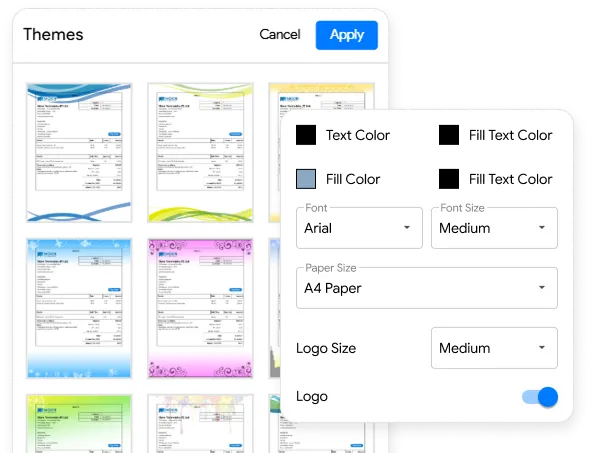
Editable templates for branded invoices
Make personalized branded invoices in a few clicks using customizable invoice templates. Adjust size, fonts, colors, columns, and the company’s logo in an invoice the way you prefer and enhance your brand recognition. It neither requires manual calculations nor lengthy paperwork.
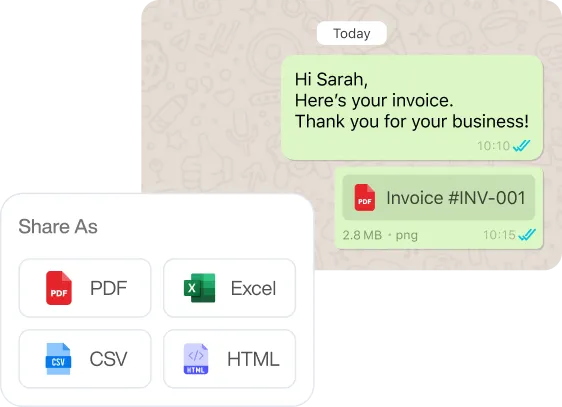
Dispatch invoices via WhatsApp
Share invoices, bills, credit notes, and receipts with customers via WhatsApp instantly. Business professionals can use their WhatsApp Business account and dispatch invoices either in PDF only, text receipt, or text receipt with a link.
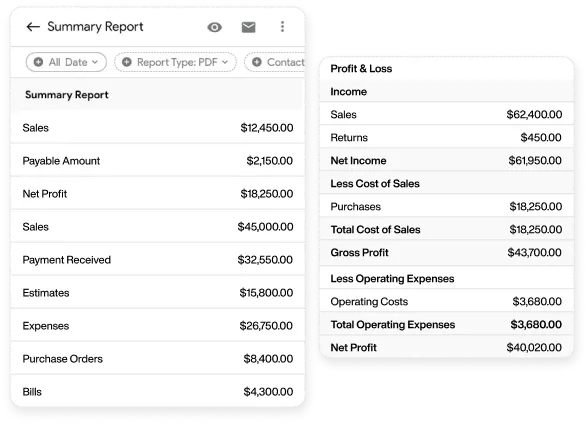
Reporting that makes sense
Online financial reporting that frees up your time and completely removes the guesswork. Generate reports like P&L statements, tax reports, summaries, and more. Use smart filters to slice the data the way you need and get deeper insights to make informed decisions.
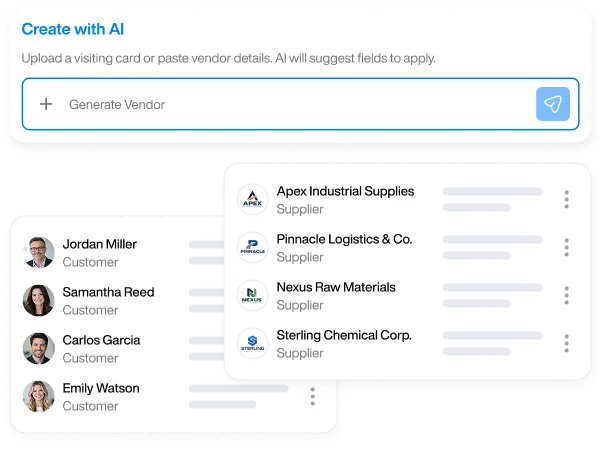
Manage contacts with AI
Add and manage new customers, vendors, and suppliers with our AI-powered contact creation. Drop visiting cards or simply paste details to generate a new contact in the blink of an eye. Centralize all of your contacts, so you never have to worry about misplacing them.
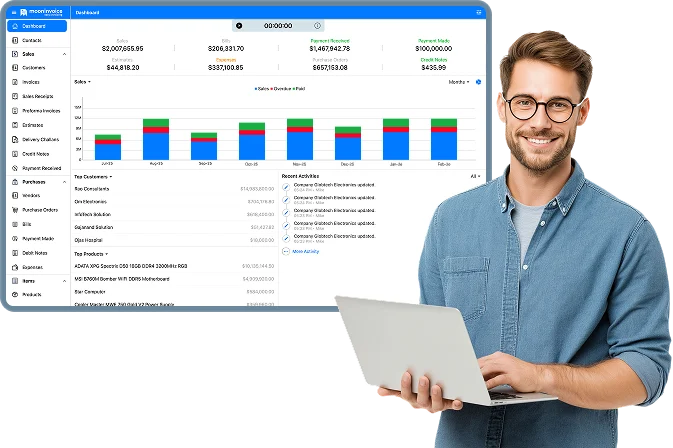
Invoice your clients
from anywhere
Create and send professional invoices no matter how far you are from your office desk.
- AI-Powered invoicing
- Recurring invoices
- Smart expense tracking
- Get paid faster
Similar comparison guides to read
Odoo Invoice vs Moon Invoice: Which Solution Fits Your Business?
Looking for an Odoo Invoice alternative? Compare features, pricing, and capabilities with Moon Invoice, a trusted accounting solution for businesses. Start a free trial today.

Moon Invoice vs InvoiceOcean: Find the Best Invoicing Alternative
Find the best InvoiceOcean alternative by comparing key features with Moon Invoice, a powerful accounting and billing software. Start a free trial now.
Moon Invoice vs Sage Intacct: Which Solution Fits Your Business?
Explore Sage Intacct and Moon Invoice differences in features, pricing, and usability to find the right solution for your business.
Frequently Asked Questions
If you have any further questions, please don't hesitate to reach out to our customer support team for assistance.
Is Moon Invoice better than Invoice Ninja?
Moon Invoice is far better than apps similar to Invoice Ninja as it offers customization, offline accessibility, and round-the-clock support. It also consists of 66+ invoice templates, compared to Invoice Ninja’s 11 invoice templates, giving you more flexibility to match your brand.
Can I migrate from Invoice Ninja to Moon Invoice?
You can migrate from Invoice Ninja to Moon Invoice anytime. If you are not satisfied with the features, then it makes complete sense to switch from Invoice Ninja to Moon Invoice. The transition takes a few minutes, and you can even integrate your apps to pull the business data.
Do both Invoice Ninja and Moon Invoice help in managing vendors?
While both invoicing software aid in vendor management, Moon Invoice outpowers Invoice Ninja by offering a sophisticated feature, AI contact creation. Using which, businesses can unify their vendor and supplier details under one roof. No manual entries required.
Can I use Moon Invoice offline?
Yes, Moon Invoice can be used without an internet connection. Business pros can create, edit, or view bills, invoices, and credit notes seamlessly. The data will sync automatically once the internet access is restored.






- Experience full-fledge invoicing module with estimates, POs, receipts
- Get offline support to work seamlessly
- Multiple payment gateways + custom payment method
- Live customer support
- Manage projects and customers efficiently
- Automate workflow, get analytics, & more
For my business, one of the headaches was managing both stocks and expenses. Luckily, I switched to Moon Invoice and found the hassles of stock and expense management getting faded. Thanks to this amazing invoicing app.


Try Moon Invoice Today!
- We Make Invoicing a Childsplay!
- No Complex Features, No Longer Processes
- Save Time, Boost Productivity
- Experience full-fledge invoicing module with estimates, POs, receipts
- Get offline support to work seamlessly
- Multiple payment gateways + custom payment method
- Live customer support
- Manage projects and customers efficiently
- Automate workflow, get analytics, & more
For my business, one of the headaches was managing both stocks and expenses. Luckily, I switched to Moon Invoice and found the hassles of stock and expense management getting faded. Thanks to this amazing invoicing app.
Try Moon Invoice Today!
- We Make Invoicing a Childsplay!
- No Complex Features, No Longer Processes
- Save Time, Boost Productivity
- Experience full-fledge invoicing module with estimates, POs, receipts
- Get offline support to work seamlessly
- Multiple payment gateways + custom payment method
- Live customer support
- Manage projects and customers efficiently
- Automate workflow, get analytics, & more
For my business, one of the headaches was managing both stocks and expenses. Luckily, I switched to Moon Invoice and found the hassles of stock and expense management getting faded. Thanks to this amazing invoicing app.
We will send you an email with instructions to reset it.
- We Make Invoicing a Childsplay!
- No Complex Features, No Longer Processes
- Save Time, Boost Productivity
- Experience full-fledge invoicing module with estimates, POs, receipts
- Get offline support to work seamlessly
- Multiple payment gateways + custom payment method
- Live customer support
- Manage projects and customers efficiently
- Automate workflow, get analytics, & more
For my business, one of the headaches was managing both stocks and expenses. Luckily, I switched to Moon Invoice and found the hassles of stock and expense management getting faded. Thanks to this amazing invoicing app.
Enter Password to link your account with Gmail
- We Make Invoicing a Childsplay!
- No Complex Features, No Longer Processes
- Save Time, Boost Productivity
- Experience full-fledge invoicing module with estimates, POs, receipts
- Get offline support to work seamlessly
- Multiple payment gateways + custom payment method
- Live customer support
- Manage projects and customers efficiently
- Automate workflow, get analytics, & more
For my business, one of the headaches was managing both stocks and expenses. Luckily, I switched to Moon Invoice and found the hassles of stock and expense management getting faded. Thanks to this amazing invoicing app.
Try Moon Invoice Today!
- We Make Invoicing a Childsplay!
- No Complex Features, No Longer Processes
- Save Time, Boost Productivity



